Your blood pressure diary
Blood Pressure Monitor Connect
Log your readings in seconds, see whether they're normal or high, and watch how they change over time. Then share them with your doctor.

Free on iPhone and iPad
How it works
From your monitor to the bigger picture
Take a reading on your blood pressure monitor, then scroll the numbers into the app. Every reading is kept together, so you and your doctor can see how you're really doing.
- Take a reading on your own monitor.
- Scroll the numbers into the app.
- See if it's normal, elevated or high.
- Watch your trends over time.
Works with any blood pressure monitor
No app can measure blood pressure by itself, so you'll need a home blood pressure monitor. Any brand will do: take your reading on it, then type the numbers in. The app doesn't connect to monitors over Bluetooth, which means there's nothing to pair and it works with the one you already have.
A look inside
Simple, clear and all in one place
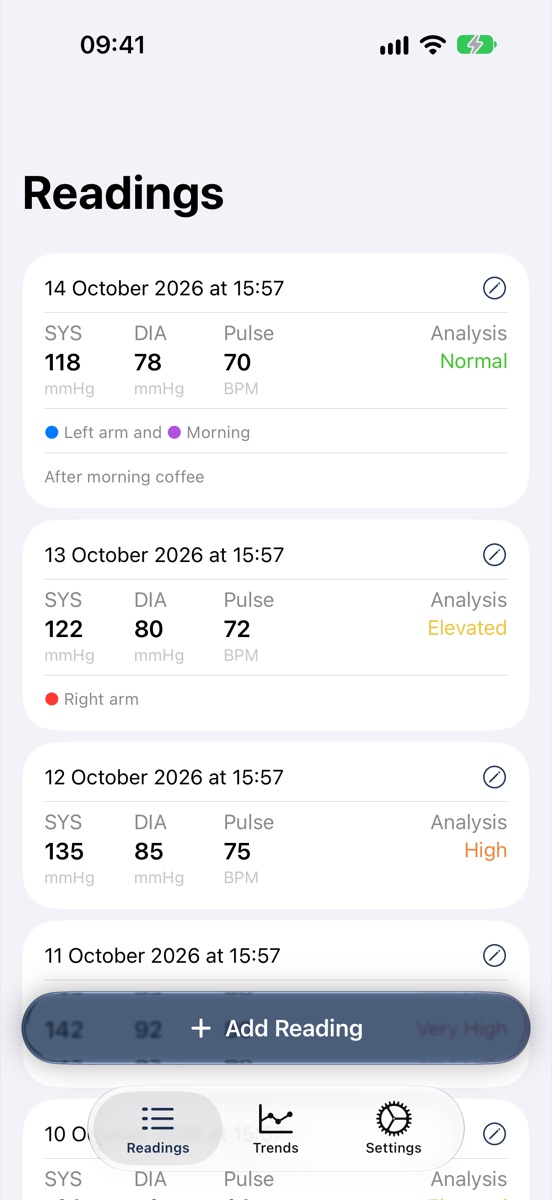
Every reading, with tags and notes 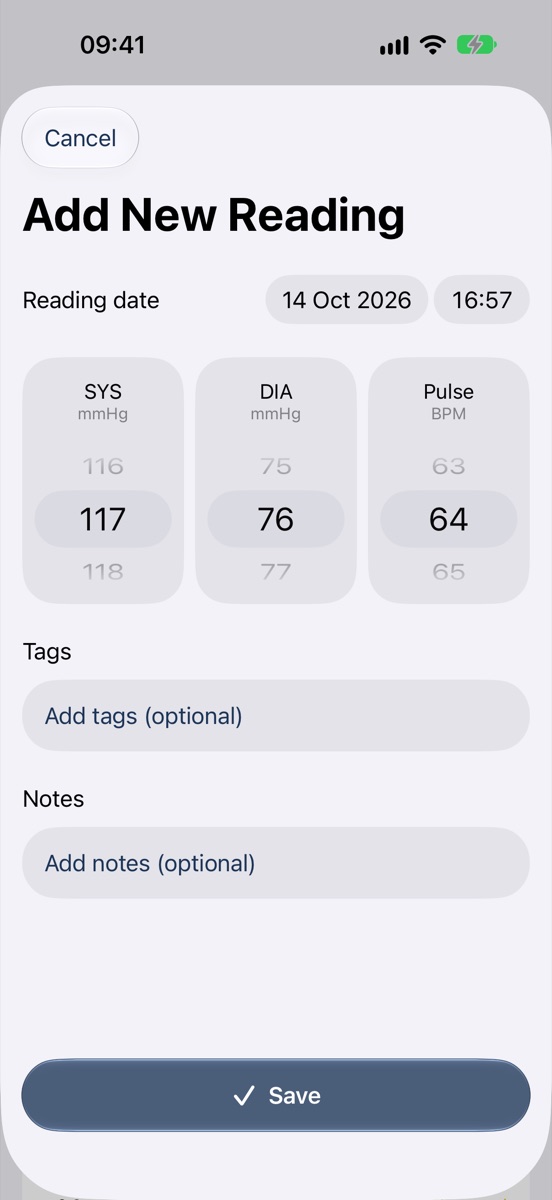
Three quick scrolls to add one 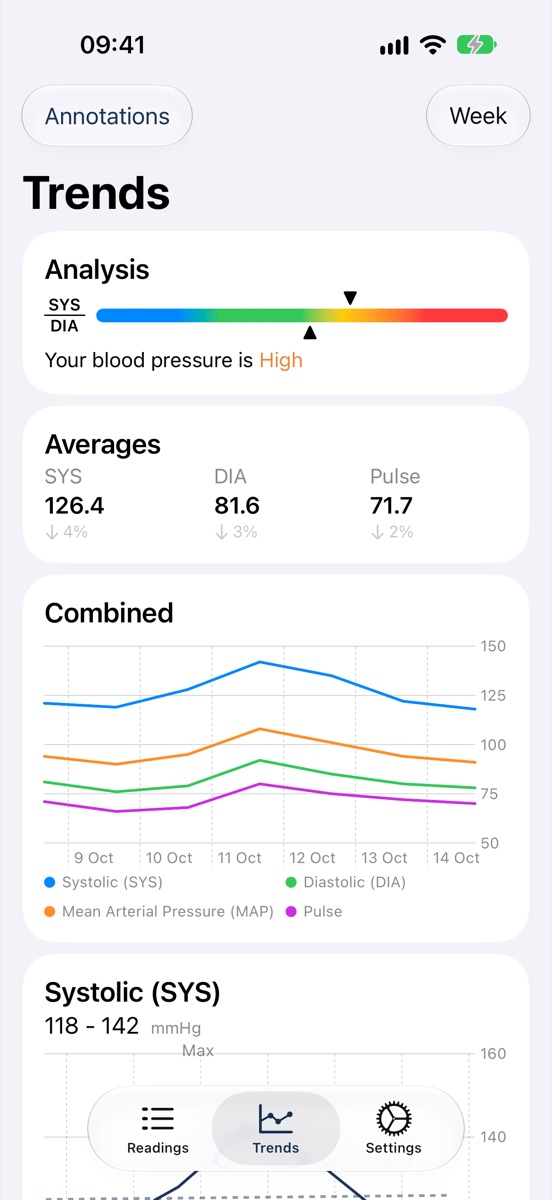
Analysis, averages and charts 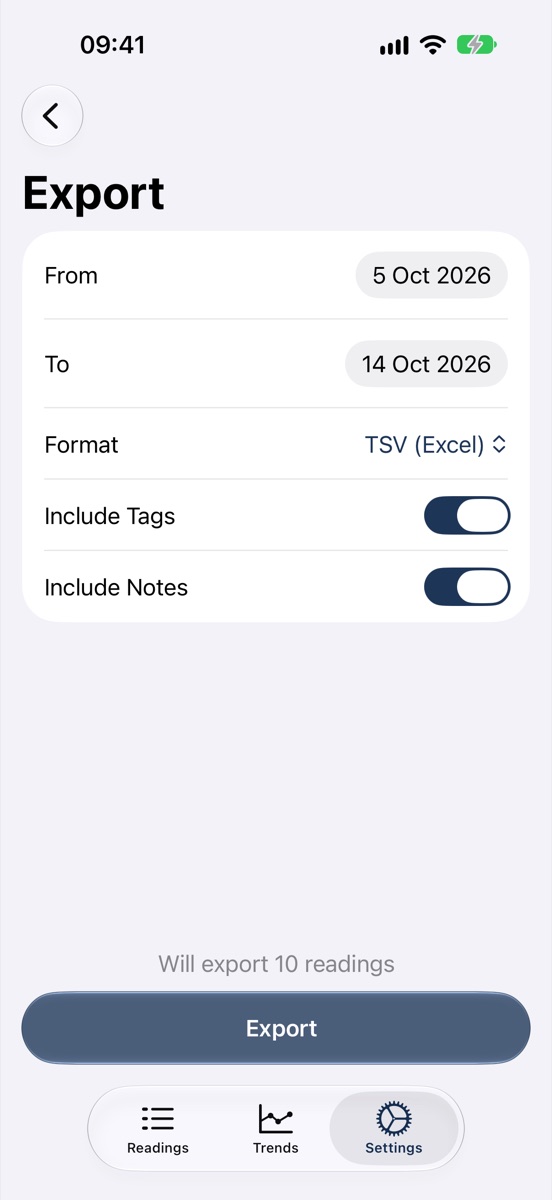
Export for your doctor
Swipe for more
What's inside
Everything your readings need
-
Quick to log
Scroll in your systolic, diastolic and pulse. The wheels start near your recent average, so most readings take a couple of flicks. Change the date and time if you're catching up. -
Know where you stand
Turn on analysis and each reading is labelled, based on guidance from the Mayo Clinic:LowNormalElevatedHighVery High -
Trends and charts Premium
Charts for systolic, diastolic, mean arterial pressure and pulse over a week, a month, six months, a year, all time or any dates you choose. Add trend lines, averages and min and max, or colour readings by tag. -
Averages
Your average systolic, diastolic and pulse for the period, and how much each has changed since the one before. -
Tags and notes
Mark readings with tags like Left arm, Morning or After medication, or make your own in any colour. Add a note to remember what was going on. -
Apple Health
Sync both ways with Apple Health: your readings are saved there, and readings from Health appear in the app. -
Reminders
It's often recommended to measure twice a day, morning and evening, so reminders start at 8am and 7pm. Change the times, or have up to eight a day. -
Export and share
Send your readings to your doctor as a PDF, a CSV or TSV spreadsheet for Excel, or plain text. Choose the dates and whether to include tags and notes. -
Home Screen widgets Premium
See your seven-day averages at a glance. The medium widget adds how they've changed and a chart of your last ten readings. -
Private
Your readings are stored securely on your device, not on our servers. They only go to Apple Health if you turn sync on.
Free to use
Everything you need, free
Keep a full blood pressure diary for free. Subscribe if you'd like charts and widgets too.
Free
Everything for keeping your diary
- Unlimited readings, with tags and notes
- Analysis of every reading
- Averages and how they've changed
- Reminders
- Apple Health sync
- Export as PDF, CSV, TSV or text
Premium
Charts and widgets, monthly or yearly
- Trend charts, from a week to all time
- Home Screen widgets
- No ads
On iPad
Room to see more
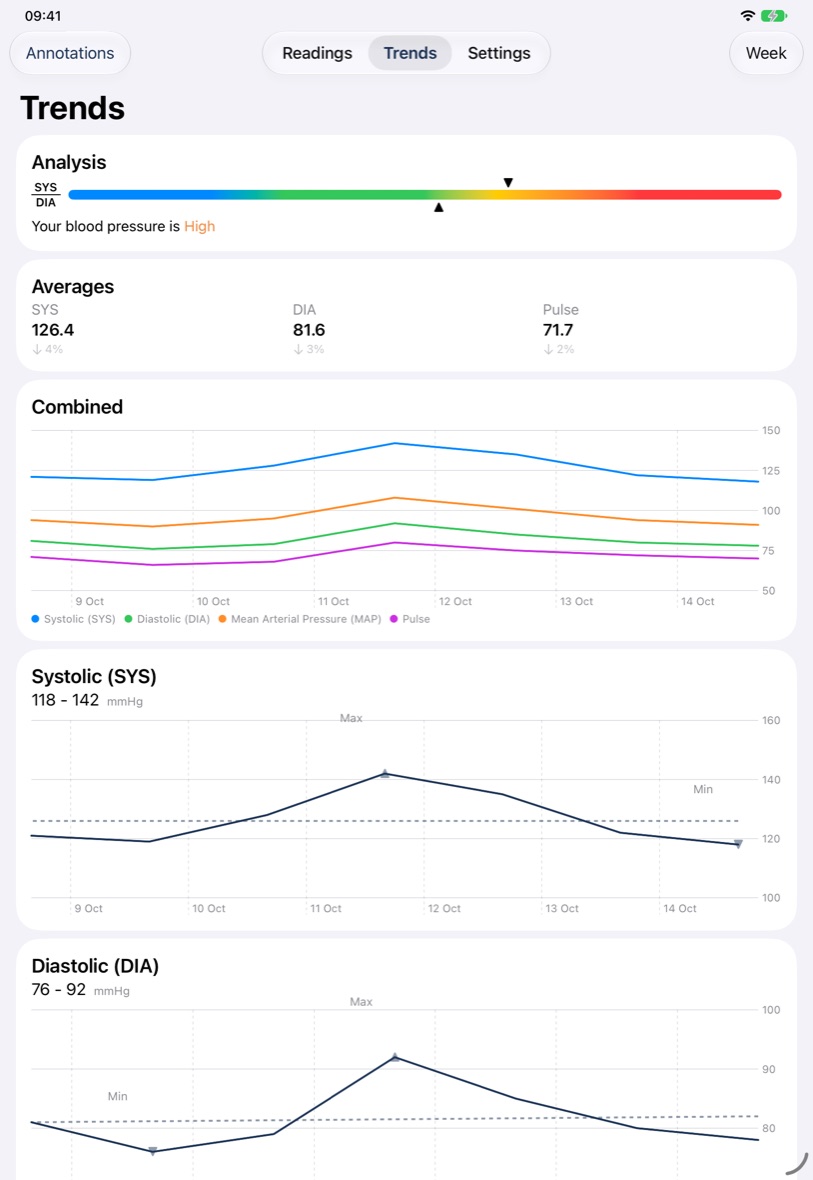
Blood Pressure Monitor Connect works on iPad too. The bigger screen gives your charts room to breathe, so you can take in weeks or months of readings at once.
Scroll in readings, tag them and export them just as you would on iPhone.
Details
- Works oniPhone and iPad with iOS 17 or later
- PriceFree, with an optional Premium subscription
- LanguagesEnglish, German, Portuguese (Brazil), Romanian, Russian, Simplified Chinese and Thai
- Made byBridgeTech Solutions, in the UK
Blood Pressure Monitor Connect is a diary for the readings you take on a separate monitor. It doesn't measure blood pressure and isn't medically certified. Its analysis is based on information from the Mayo Clinic; if you're worried about your blood pressure, talk to your doctor.